# Cloud Editor Particle Emitter Size Issue on Mobile Devices
**URL:** https://forum.8thwall.com/t/cloud-editor-particle-emitter-size-issue-on-mobile-devices/4760
**Category:** Technical Support
**Tags:** cloud-editor
**Created:** [February 10, 2025, 4:42am UTC](https://forum.8thwall.com/t/cloud-editor-particle-emitter-size-issue-on-mobile-devices/4760 "2025-02-10T04:42:33Z")
**Posts on this page:** 6
**Page:** 1
### Author:  [@i\_an](https://forum.8thwall.com/u/i_an)
#### Post date: [February 10, 2025, 4:42am UTC](https://forum.8thwall.com/t/cloud-editor-particle-emitter-size-issue-on-mobile-devices/4760/1 "2025-02-10T04:42:33Z")
Hi everyone,
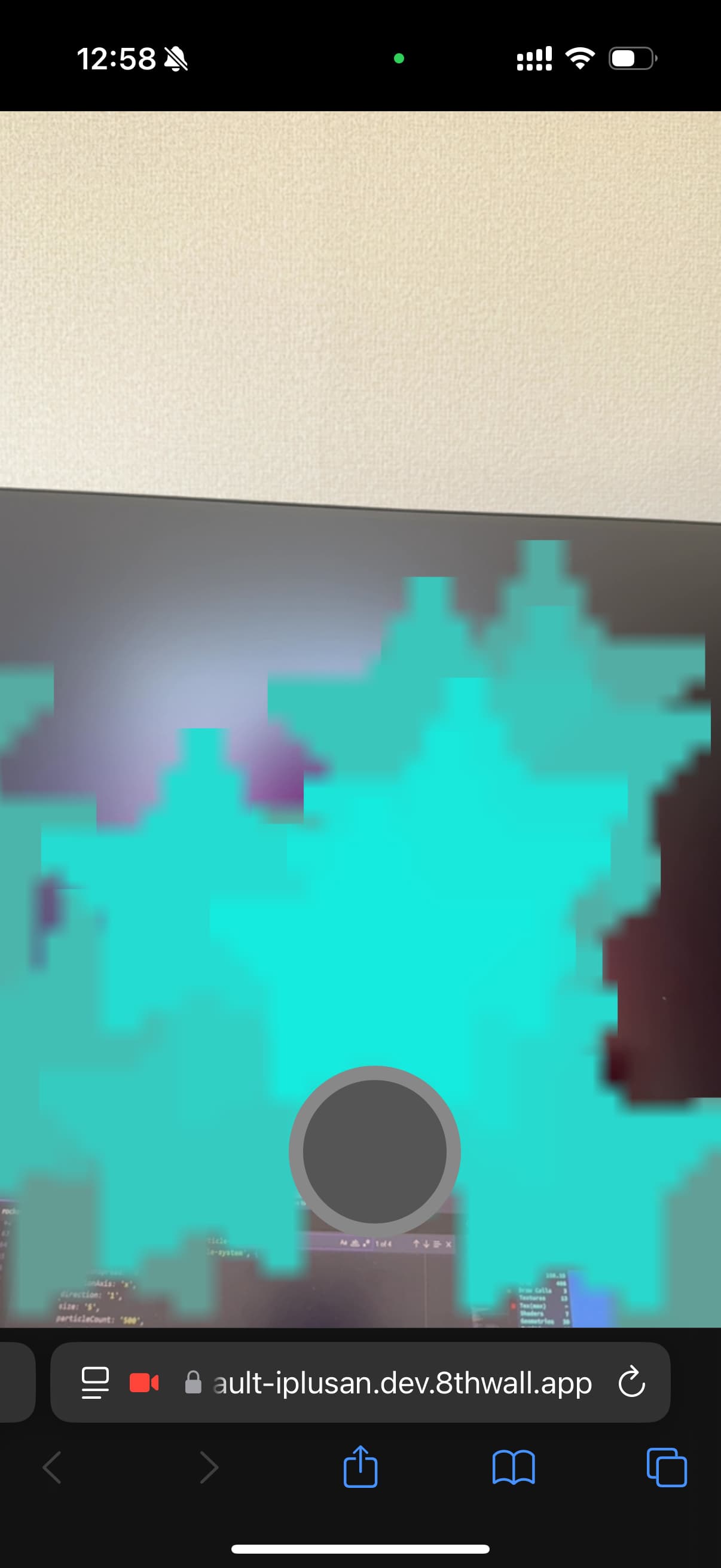
I’m encountering an issue with the cloud editor particle emitter size while using the rocket example. On the simulator in Cloud Editor, the particle size adapts to the value I set (e.g., 500), but on real devices the behavior is different:
iOS: The particle size appears to have a hard limit. For example, setting the size to 500 looks the same as setting it to 50. Only very small sizes (1–5) show any noticeable difference.
Android: The behavior is a bit better and adapts somewhat to the size, but still not as expected compared to the desktop simulator.
I’m using the following meta tag in my HTML:
```auto
```
And I’m including the particle system component via:
```auto
```
This is the code snippet I’m using to set up the particle system:
```auto
rocketParticles.setAttribute('particle-system', {
color: `${randColor1},${randColor2}`,
positionSpread: '0 0.5 0',
rotationAxis: 'x',
duration: '1',
size: '500',
direction: '-1',
rotationAngle: '0',
particleCount: '25',
maxParticleCount: '50',
maxAge: '3',
accelerationValue: '0, -1, 0',
accelerationSpread: '0 -1 0',
velocityValue: '0 0 0',
blending: 1,
})
```
I’ve also noticed the following error in the console on mobile devices:
```auto
THREE.WebGLRenderer: OES_texture_float_linear extension not supported.
```
Could this extension limitation be causing the particle size not to scale as expected on mobile devices? Has anyone experienced similar behavior or found a workaround to make particle sizes consistent across platforms?
Thanks in advance for any help!


---
### Author:  [@Evan](https://forum.8thwall.com/u/Evan)
#### Post date: [February 11, 2025, 9:11pm UTC](https://forum.8thwall.com/t/cloud-editor-particle-emitter-size-issue-on-mobile-devices/4760/2 "2025-02-11T21:11:51Z")
Hi @i_an - out of curiosity, do you see the same behavior with A-Frame 1.5.0?
```auto
```
To continue debugging, I would recommend removing 8th Wall specific component from your scene (i.e. `xrweb`, `xrextras-` etc). You can add a “z” or any other character to these components to effectively remove them temporarily for testing (`xrweb` → `zxrweb`).
If the same issue can be reproduced in a vanilla A-Frame scene, that would indicate the root cause is within the third party component rather than something that 8th Wall has an effect on.
---
### Author:  [@i\_an](https://forum.8thwall.com/u/i_an)
#### Post date: [February 12, 2025, 9:43am UTC](https://forum.8thwall.com/t/cloud-editor-particle-emitter-size-issue-on-mobile-devices/4760/3 "2025-02-12T09:43:28Z")
When I change my renderer meta tag from:
``
to
``
I encounter the following issues:
**Console Errors:**
THREE.WebGLRenderer: The property .useLegacyLights has been deprecated… (warning about legacy lighting)
TypeError: Cannot read properties of undefined (reading ‘generateUUID’)
**Particle Visibility:**
With A-Frame 1.5.0, no particles are shown.
Using A-Frame 1.1.0, the particles appear normally.
**Particle Size Differences on Devices:**
On my iPad, the particle size is larger.
On mobile phones, the particle size is very small.
According to a Discord answer from Serpentrider, the aframe-particle-system-component uses gl\_PointSize to set the particle size, and mobile devices tend to have a much lower maximum point size. This likely explains why the particles appear smaller on mobile.
So I am trying to find a way to work around it without using Geo render…
---
### Author:  [@Evan](https://forum.8thwall.com/u/Evan)
#### Post date: [February 12, 2025, 11:17pm UTC](https://forum.8thwall.com/t/cloud-editor-particle-emitter-size-issue-on-mobile-devices/4760/4 "2025-02-12T23:17:59Z")
Can you try using this script for the particles instead, and using A-Frame 1.4.1 or 1.5.0?
```auto
```
This should enable to use a newer version of A-Frame, which is generally beneficial, but it sounds like the particle size system is more related to the implementation of the component itself
---
### Author:  [@i\_an](https://forum.8thwall.com/u/i_an)
#### Post date: [February 13, 2025, 3:16am UTC](https://forum.8thwall.com/t/cloud-editor-particle-emitter-size-issue-on-mobile-devices/4760/5 "2025-02-13T03:16:30Z")
I tried A-Frame 1.4.1 and 1.5.0 like this in `head.html`
```auto
```
or
```auto
```
and this entity in `body.html`
```auto
```
But the particle size on phones still seems way smaller than the size on cloud editor simulator
---
### Author:  [@i\_an](https://forum.8thwall.com/u/i_an)
#### Post date: [February 15, 2025, 7:09am UTC](https://forum.8thwall.com/t/cloud-editor-particle-emitter-size-issue-on-mobile-devices/4760/6 "2025-02-15T07:09:15Z")
for example, this spe-particle example loads well with bigger particle size in my phone browser.
however the same component doesn’t have the same big particle size in 8th wall.
Here are the components I am using:
```auto
http://cdn.8thwall.com/web/aframe/aframe-spe-particles-component.min.js
```
or this
```auto
https://unpkg.com/aframe-spe-particles-component@^1.0.4/dist/aframe-spe-particles-component.min.js
```
SPE: Clouds
[https://squarefeet.github.io/ShaderParticleEngine/examples/clouds.html](https://squarefeet.github.io/ShaderParticleEngine/examples/clouds.html)