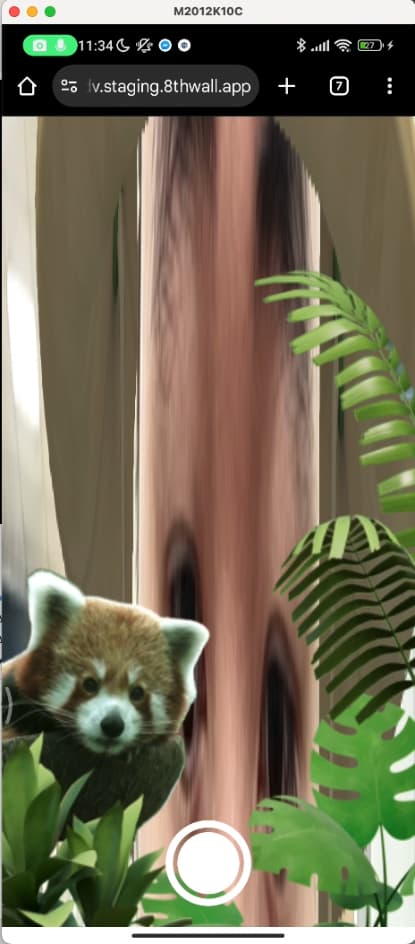
I have an issue with xrface (I think) where the camera feed appears to become stretched after the app loses focus and then returns.
Here’s how it’s happening:
- App loads, front camera is enabled with xrface, looks fine and works fine
- I open the browser url bar
- I close the browser url overlay, and the camera appears stretched.
The same thing happens if I open the native Share popup, or anything that causes the app to lose focus. If I restart the xrface component (by removing and re-adding it), the problem is resolved, but that’s not a good solution for users (due to the long reloading time).
This also only seems to happen on specific Android devices, but not all of them. One such testing device that doesn’t work is “android xiaomi k40 gaming, browsers are Chrome and Edge”. However a different testing device “google pixel 8” works fine.
Is there something I can do to help resolve this?