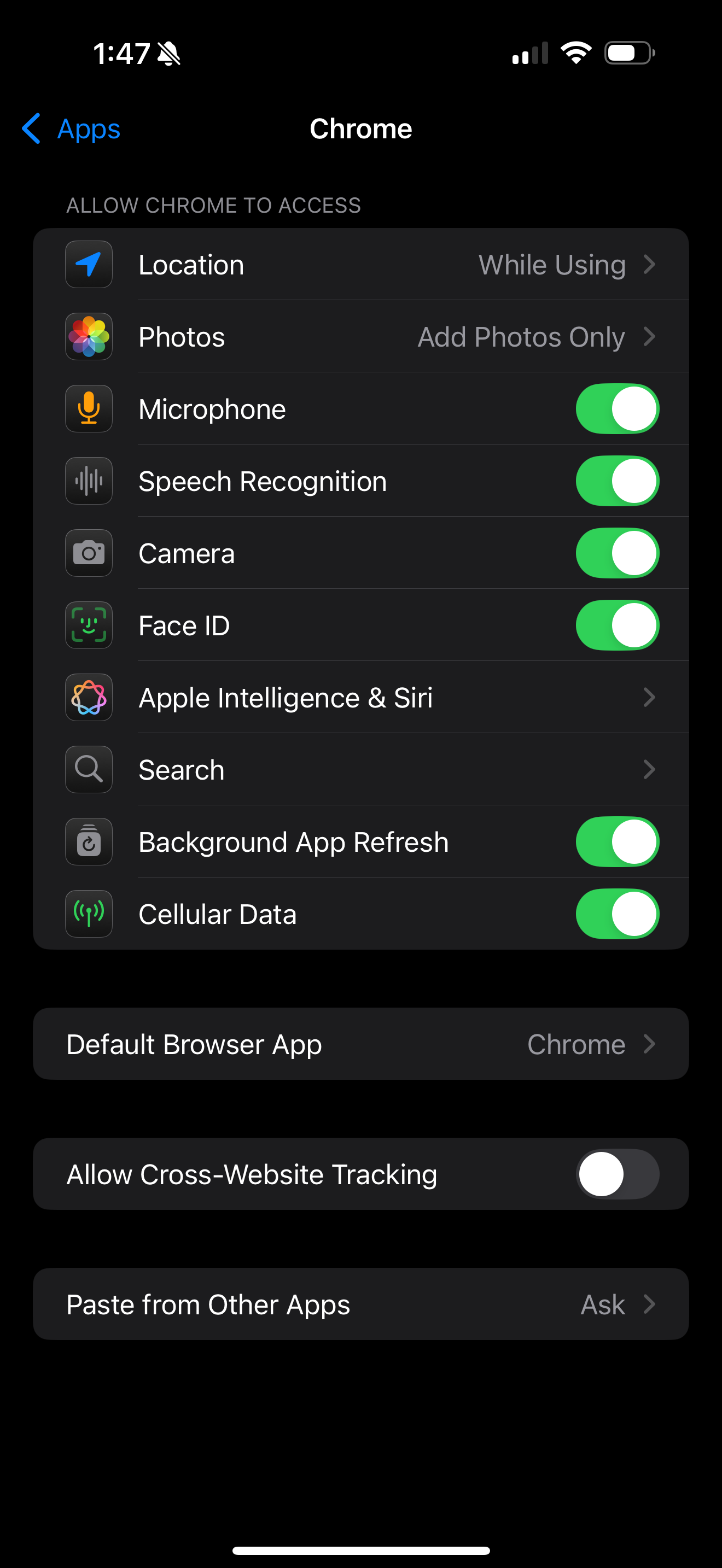
I’ve run 5 test cases and can’t get my project to prompt my iphone for a camera after publishing, my scene just remains static with a white skybox.
I want my phone camera to be the scene camera as I see in the studio viewer. Attached my current settings. What do I need to do to get my iphone to work?
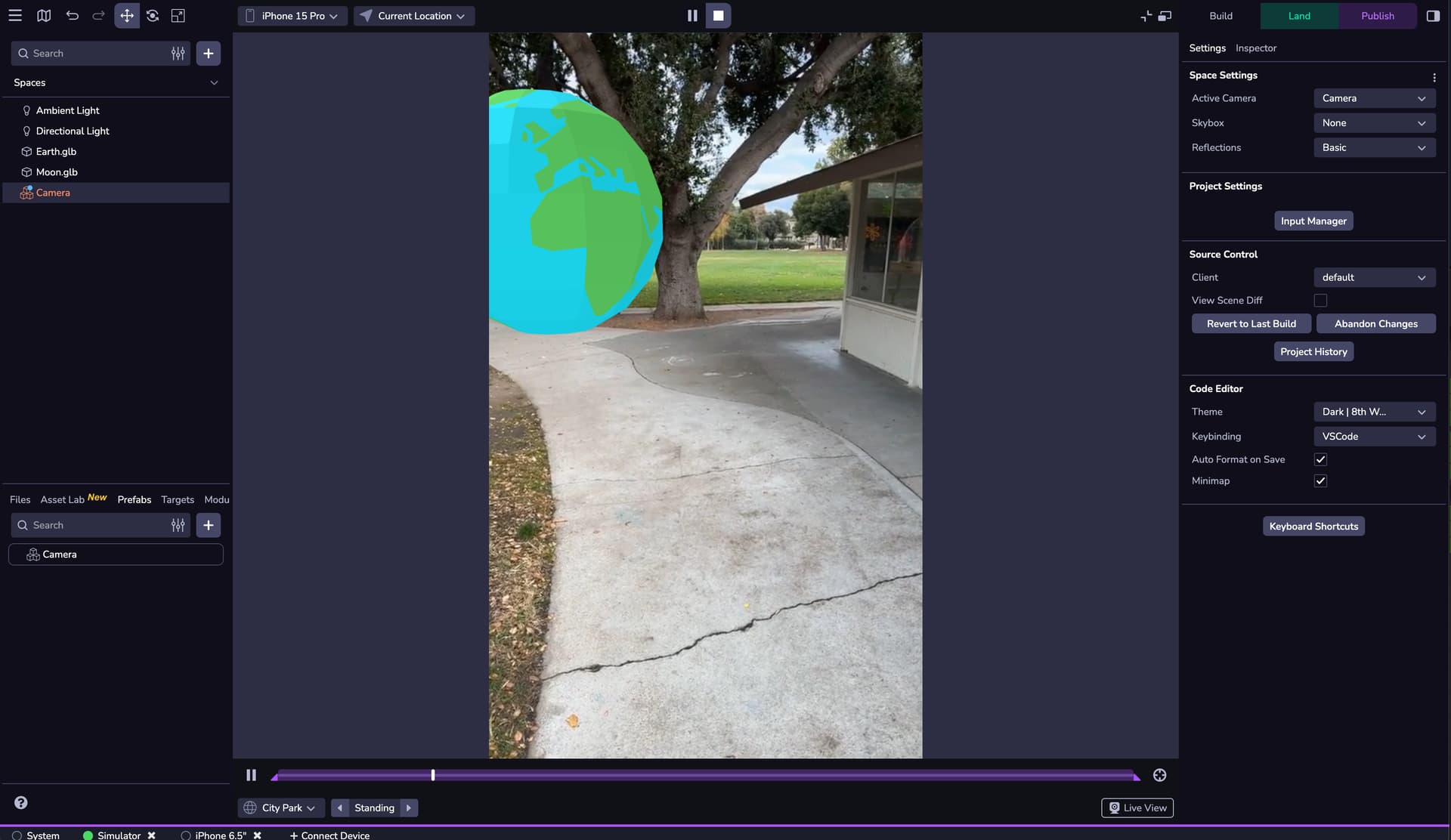
Attaching screenshots to show that things look normal in the studio viewer.
Here’s the link to the scene itself which doesnt work on my iphone:
sernd.8thwall.app/hello-world-2/
And here’s a link to a clone of a different project which DOES work, but appears to not be made with the Studio and some older Editor version? There is no studio editor available for this project.
The only project I’ve gotten to prompt my iphone is a clone of an old project using the editor. I can’t get it to work yet from studio.
Your project’s camera settings look correct. I also tested it on one of our internal devices (iPhone 16 Pro Max), and the camera is functioning as expected.
This suggests that the issue may be related to browser-level permissions on your iPhone. I recommend checking your device settings to ensure the browser you’re using isn’t restricted from accessing the camera. Also, double-check the browser’s own settings to confirm that camera permissions are allowed for this site.
Thank you for the response. I checked my phone settings:
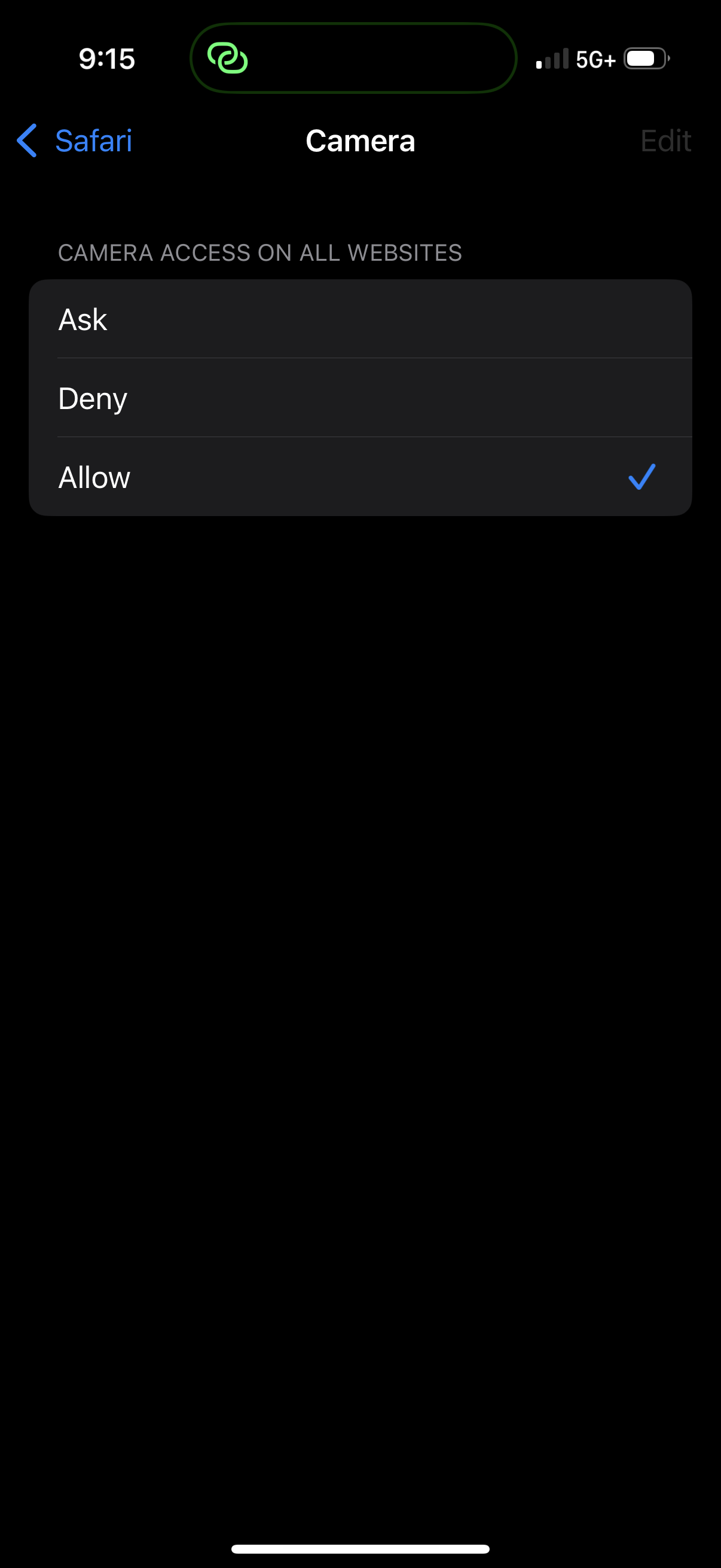
Camera access for Safari on my Iphone 16 Pro is set to “Ask”
So I expected it to ask me to allow, the same way that the other project (Editor Based) does which I linked above. However, it does not prompt me like the Editor project. It seems impossible to get a Studio project to prompt me to allow my camera?
I set the Camera access to “Allow”, hoping that it would work automatically, and it is still not working. I just get the white static camera still.
As far as I can tell, Studio projects just don’t work at all.
The Editor project works as expected, but it seems like the editor is deprecated?
The fact that an editor project works, but not a studio project, leads me to believe this is not an issue with my device. There is different behavior occurring here, if it was a device issue I would expect both Studio and Editor projects to have the same results.
This is obviously a major blocker for any hope we have at using the service. We could be a good client for 8th Wall but need help getting past this.
Just so you know Editor isn’t deprecated, you can access it by scrolling to the bottom of your project’s page and clicking the “Build with legacy Editor” button.
I’ll look into the Camera permissions issues for you further right now.
EDIT: Oh, also can you tell me if any of the AR Studio sample projects work on your device? Not a cloned version just the version you can run directly from the Project Library. Like this one.
Thank you for your help, hope we can get it working. It looks promising and I can see it being very useful for our team if we can get it working smoothly.
Yes, that link from the project library works when I click “Launch” after following the link. I get a moment of white static and then the camera kicks in as expected, unprompted. Most likely no prompt because I have it set to Allow now.
When i click that project link, it doesn’t open right away. It takes me to a page where I have to click launch. That launch button momentarily initiates an address:
That shouldn’t affect the camera functionality at all, it’s purely a URL re-direct to the actual project. It sounds like your project configuration might be weird but that doesn’t explain why the published version was working on the test device and not your phone. Have you tried making a new studio project from the empty template and testing that?
Here is a new project, from blank slate. Although a “blank” project still requires “cloning”. Just a cube and a camera and the two default lights. Same issue, just white static, camera never kicks in.
Not sure if it helps but the camera also never kicks in when I try to “connect device” and preview the project via my phone before publishing. Unfortunately I am still unable so far to publish a project that works with my phone camera.
Is there any documentation on how to get bloom or color animation working? I’ll cut straight to the point:
We’re trying to previs Drone Shows in AR. A “Drone” in our case is a primitive sphere with a material or color animation on it. We need object animation, color animation, and bloom for our prototype to be successful.
We are able to see object animation but no color animation or bloom. There appears to be no documentation or support for figuring these things out in a timely manner.
Bloom isn’t supported in Studio yet, as there isn’t Post Processing. Color Animations are totally possible however. You can do Color Animations with a Custom Component, for example:
  const rgbToHex = (r, g, b) => {
    r = Math.max(0, Math.min(255, Math.round(r)))
    g = Math.max(0, Math.min(255, Math.round(g)))
    b = Math.max(0, Math.min(255, Math.round(b)))
    const toHex = c => c.toString(16).padStart(2, '0')
    return `#${toHex(r)}${toHex(g)}${toHex(b)}`
  }

const r = from.r + (to.r - from.r) * segmentT
const g = from.g + (to.g - from.g) * segmentT
const b = from.b + (to.b - from.b) * segmentT
const hex = rgbToHex(r, g, b)
ecs.Ui.mutate(world, powerMeterObj, (cursor) => {
  cursor.background = hex
  return false
})


 Have you tried making a new studio project from the empty template and testing that?